
Tell the property’s story
Project pages, location, architecture and galleries give buyers the context they need.
Property websites + interactive 3D
A complete custom website, interactive 3D and ongoing improvement — built around your property to help buyers explore, choose and enquire.
01 / What is ViziaFlow?
ViziaFlow connects a full property website with an interactive 3D viewer. Project content, apartment information and sales contacts work together, while the website keeps evolving to make the journey from first visit to enquiry clearer.
One link. A clearer conversation.A complete property website
We create a full website for each development — customised to its architecture, identity and sales goals. Project information, apartment selection, the 3D experience and enquiries become one connected journey.
Project pages, location, architecture and galleries give buyers the context they need.
A catalogue with filters, apartment details and a connection to the 3D viewer brings the offer into focus.
Clear contact options and property-specific enquiry forms connect interested buyers to your sales team.
An illustration of the approach — not a finished design or a fixed template for your project.
Built to keep improving
We continually improve the website with the aim of increasing conversion from visits to qualified property enquiries. Visitor behaviour and enquiry data guide changes to content, navigation and the contact journey.
Each change is assessed against the project’s goals. Higher conversion is the objective, not an assumed result.
02 / The buyer’s journey
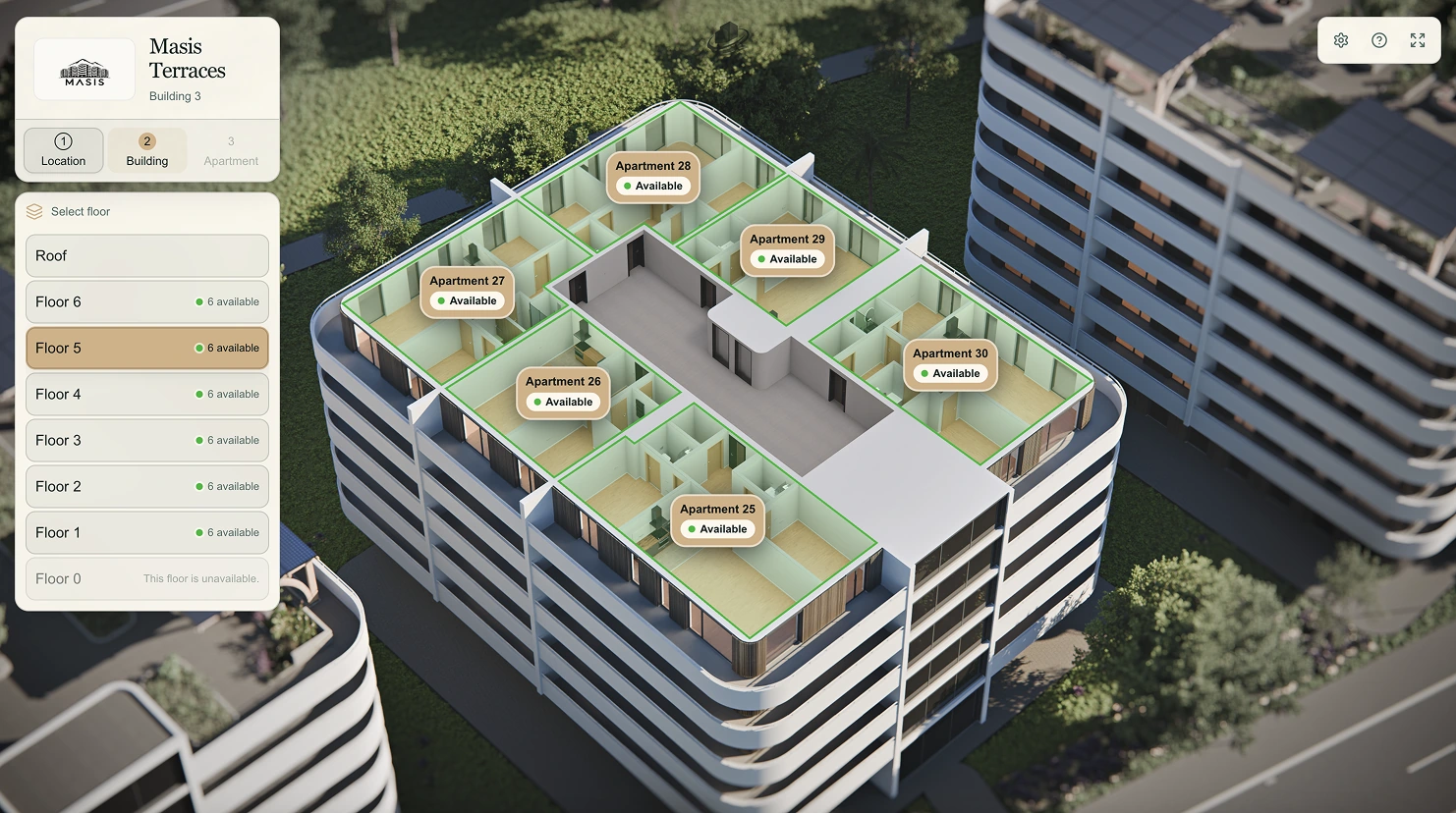
Help buyers see where the property is, how the building is organised and what an apartment actually feels like.
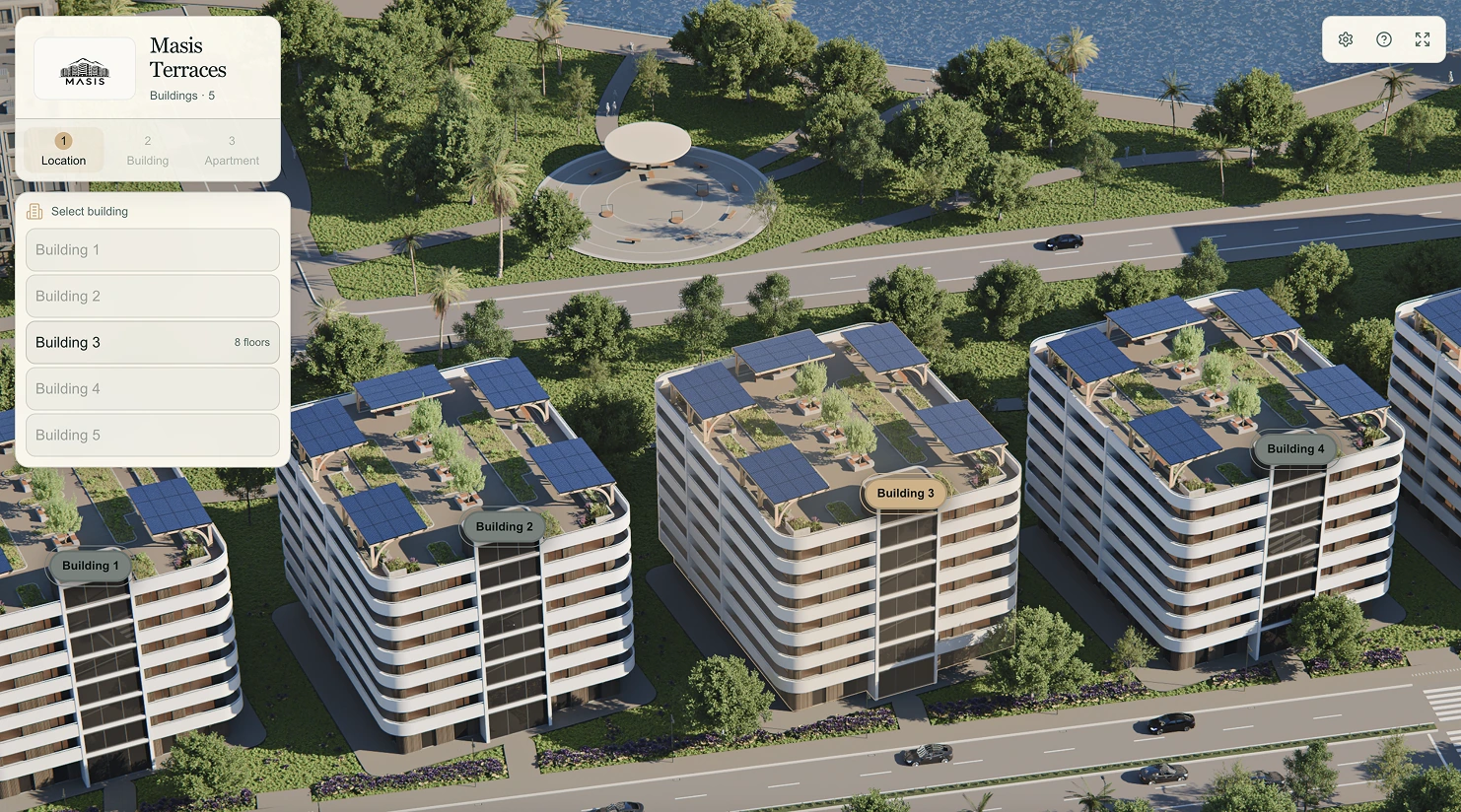
Explore the development in its setting. Identify buildings, understand the location and see the address on a map.
Interface images, not a live 3D demo. Views and tools are configured for each property.
A closer look
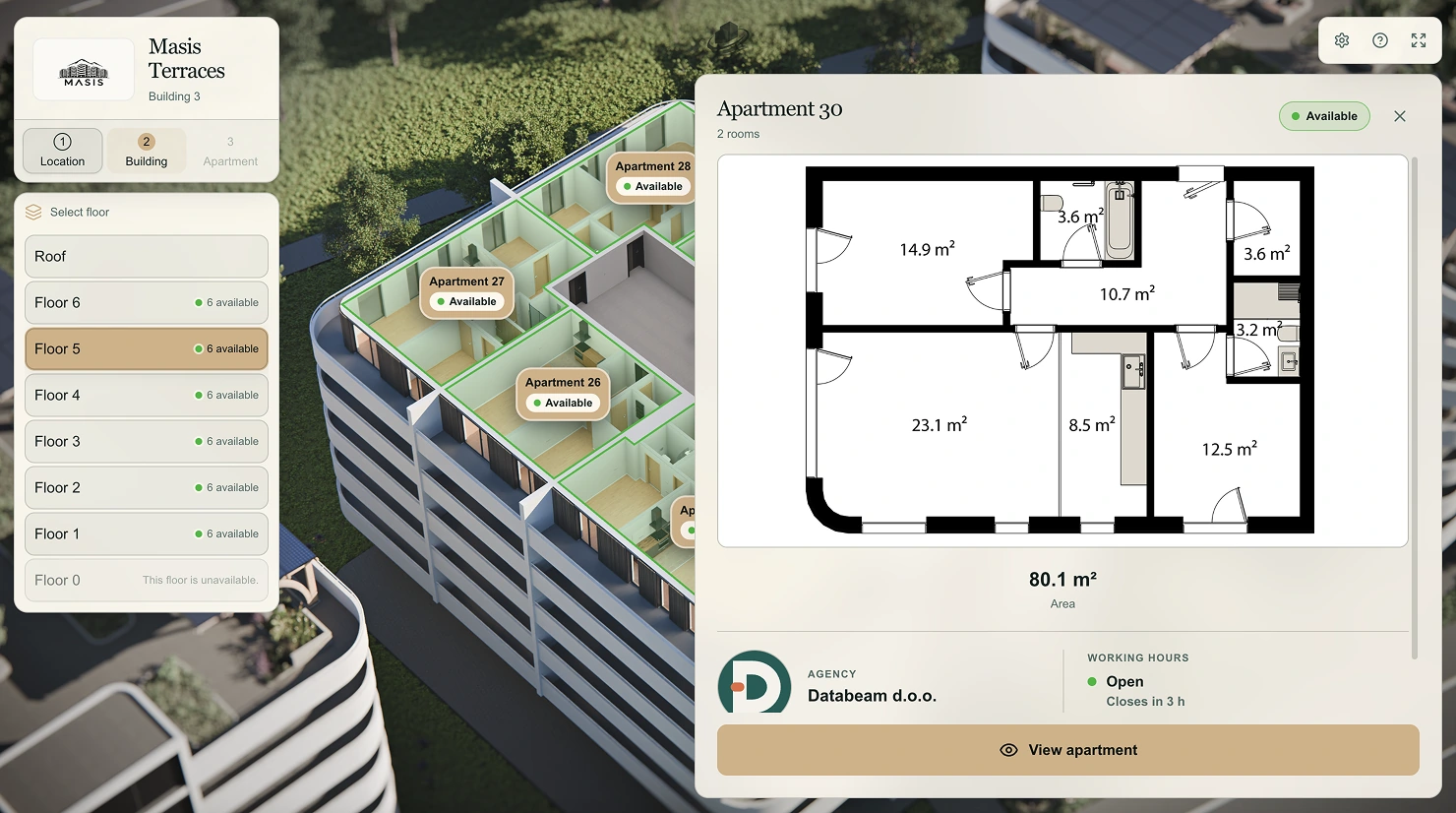
Apartment views and furniture options make a floor plan easier to understand.
Panoramic tours connect rooms and help buyers understand how they relate.
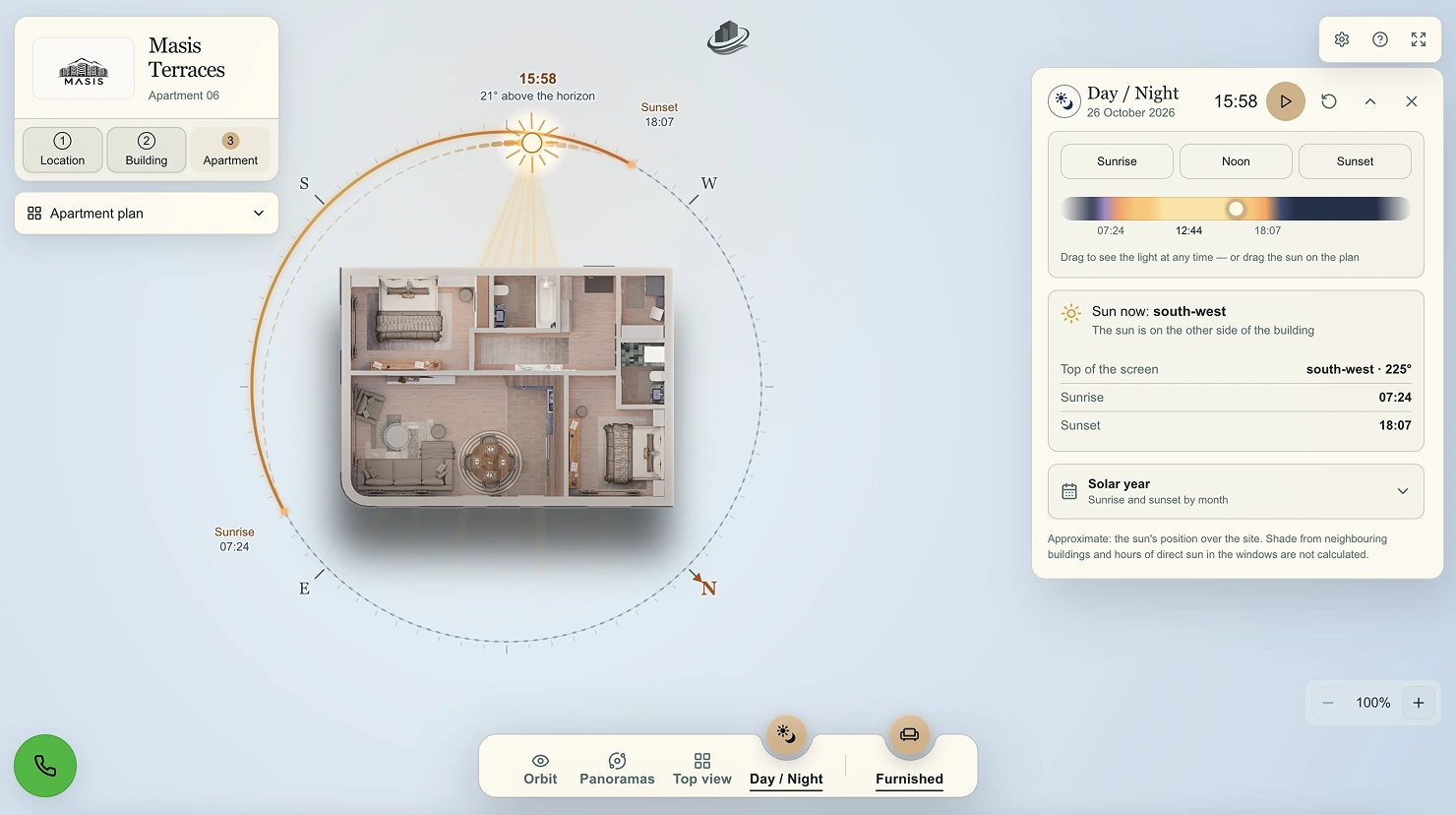
Measurements on a calibrated plan and an approximate sun-position view add context.
The sun view is indicative, not an engineering daylight or shadow calculation.
Room by room
Switch between furnished and unfurnished panoramas to understand both the atmosphere and the space available.
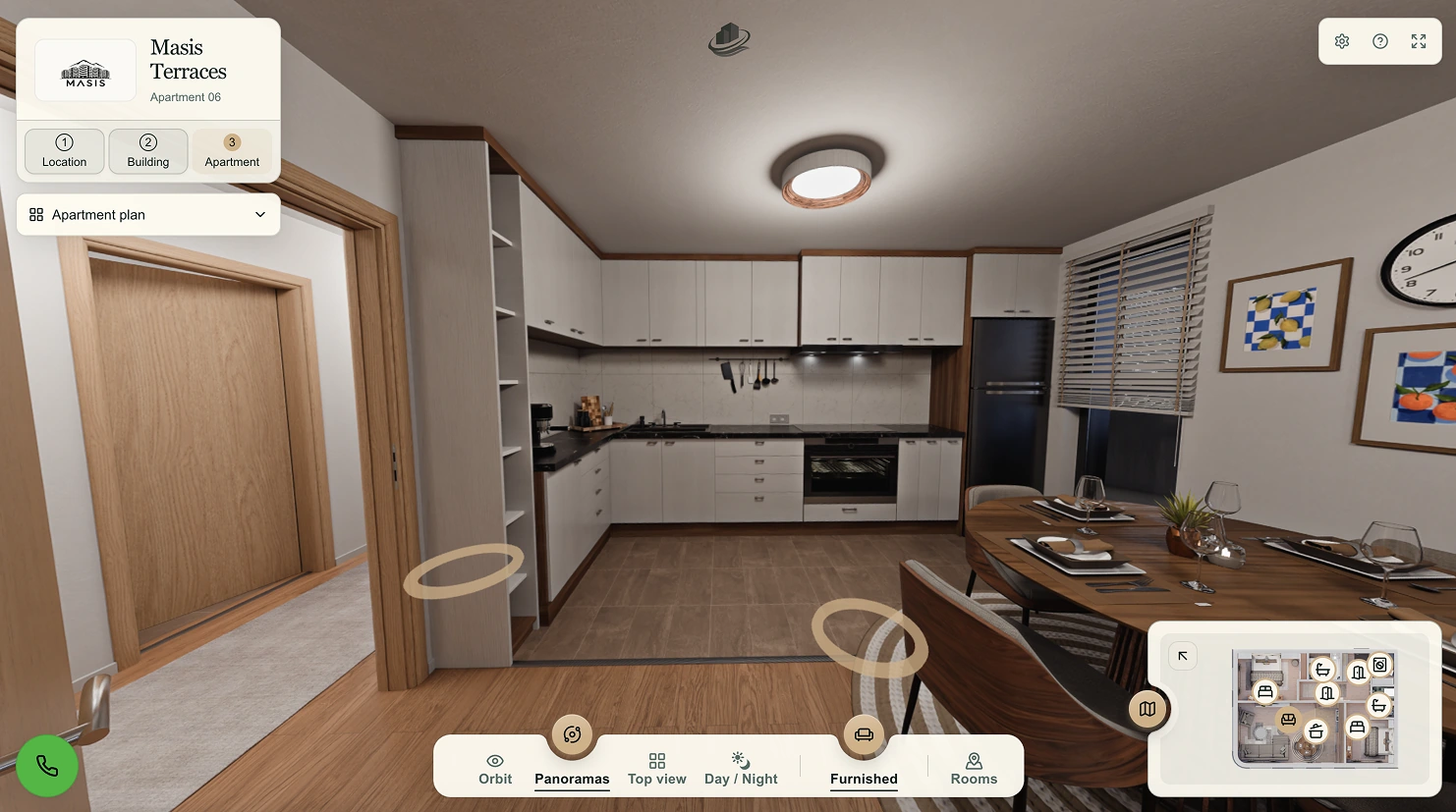
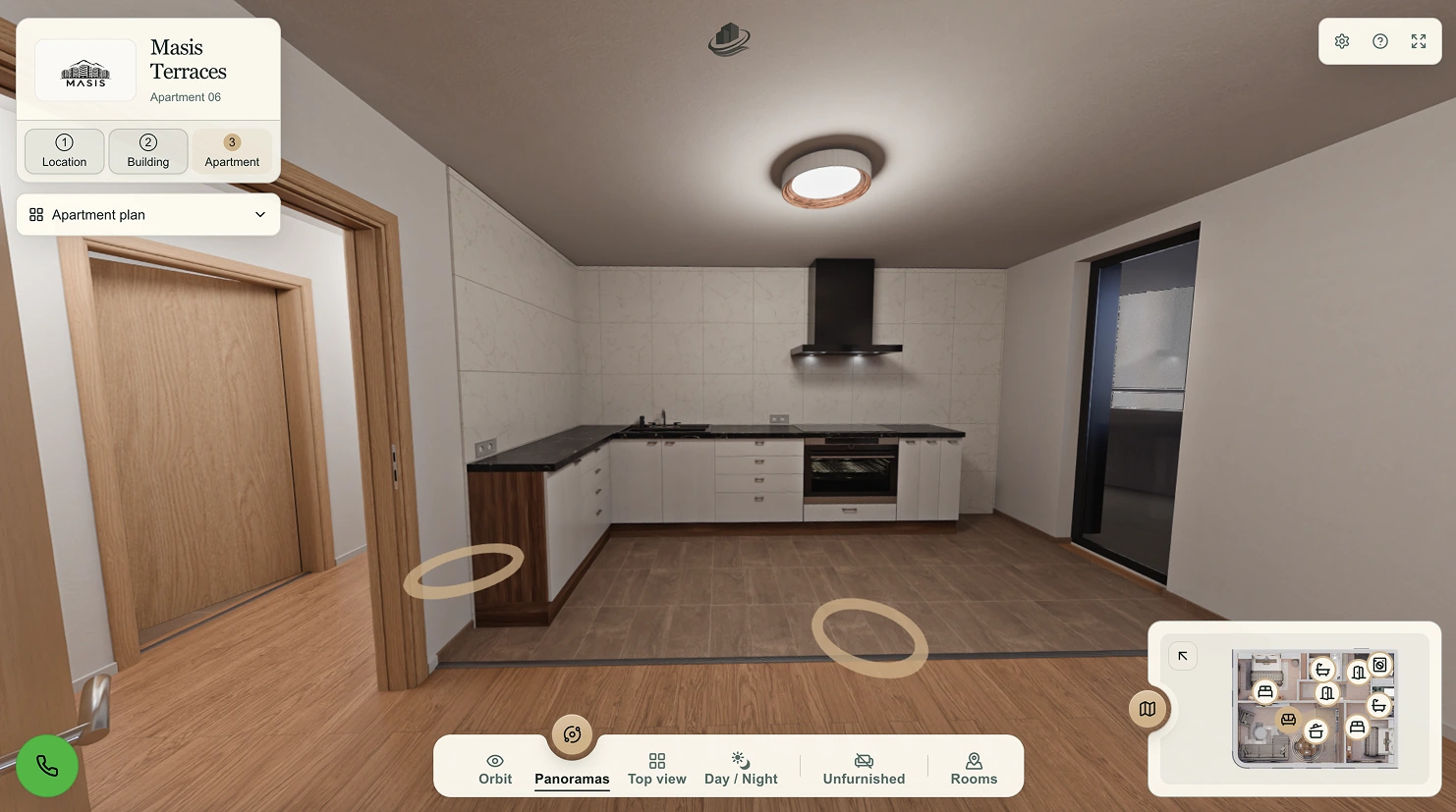
Interface images, not a live 3D demo. Views and tools are configured for each property.
03 / Who it’s for
Present a residential project as a coherent whole — with an experience that reflects its architecture and identity, while independently managing apartment availability, building parameters and the parameters of every apartment.
Use the same visual material in a meeting or by link. Spend the conversation on the buyer’s needs, not explaining where everything is.
Give campaigns, the project website and direct messages a shared destination where people can explore.
Explore the setting, layout and offer in their own time, on a computer or phone, without installing an app.
Behind the experience
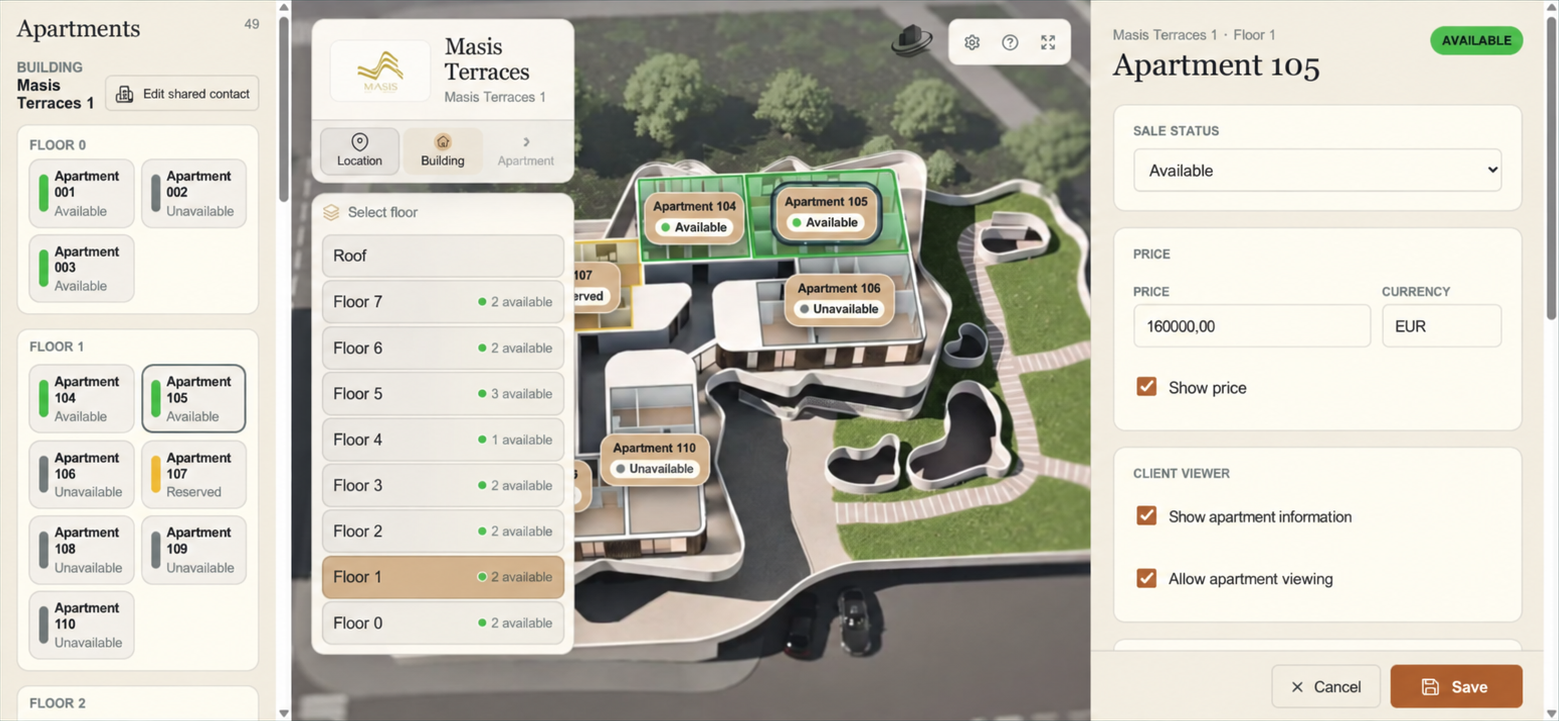
In the admin panel, the developer independently manages apartment availability, building parameters and the parameters of every apartment — including prices, visibility and sales contacts. Commercial information can change without rebuilding the visual scene.
04 / Built for your property
We customise the website and 3D experience around your development, your brand and your sales process. Content, site structure, visual materials and tools are selected for your property. After launch, we continue refining the experience with conversion as a goal.
From plans to experience
Planning, construction or ready for handover — the right starting point depends on the materials available, not just the building’s stage.
Tell us about the property, its stage and the presentation challenge. Architectural plans, facade visuals and floor plans give us a starting point.
We create the custom property website, prepare visual material and connect the apartment catalogue, 3D experience and enquiry journey.
We launch the website and 3D experience, then continually improve content and buyer journeys with the aim of increasing conversion. Your team keeps commercial details current in the admin panel.
Good to know
Yes. ViziaFlow creates a complete property website alongside the 3D experience, then continually improves content, navigation and enquiry flows. Visitor behaviour and enquiry data guide the work, with higher conversion as the goal rather than a guaranteed result.
Yes. In the admin panel, the developer independently manages apartment availability, building parameters and the parameters of every apartment, including prices, visibility and sales contacts. These commercial updates do not require rebuilding the visual scene.
Yes. With an approved architectural project, exterior materials and apartment plans, work can start early in construction. We can also join during construction or closer to handover.
The agreed building project, facade drawings or visualisations, and floor and apartment plans. We review what already exists and identify what still needs to be prepared.
No. The viewer works in a browser on desktop and mobile. It can be shared by a direct link and used during a sales consultation.
Yes. We can connect the 3D experience to an existing website, or create a complete custom website for your property. The structure, integration and domain setup are agreed for the project.
No. The website, content, branding, 3D materials and exploration tools are configured for the specific property and its sales needs. The example website illustrates the approach, not a fixed template.
Let’s talk about your property
Tell us about your development. We’ll discuss a custom website and 3D experience, and how to keep improving the journey from visit to enquiry.
A short description is enough to start. You don’t need a finished brief.
Prefer the main Databeam contact?
Contact Databeam